
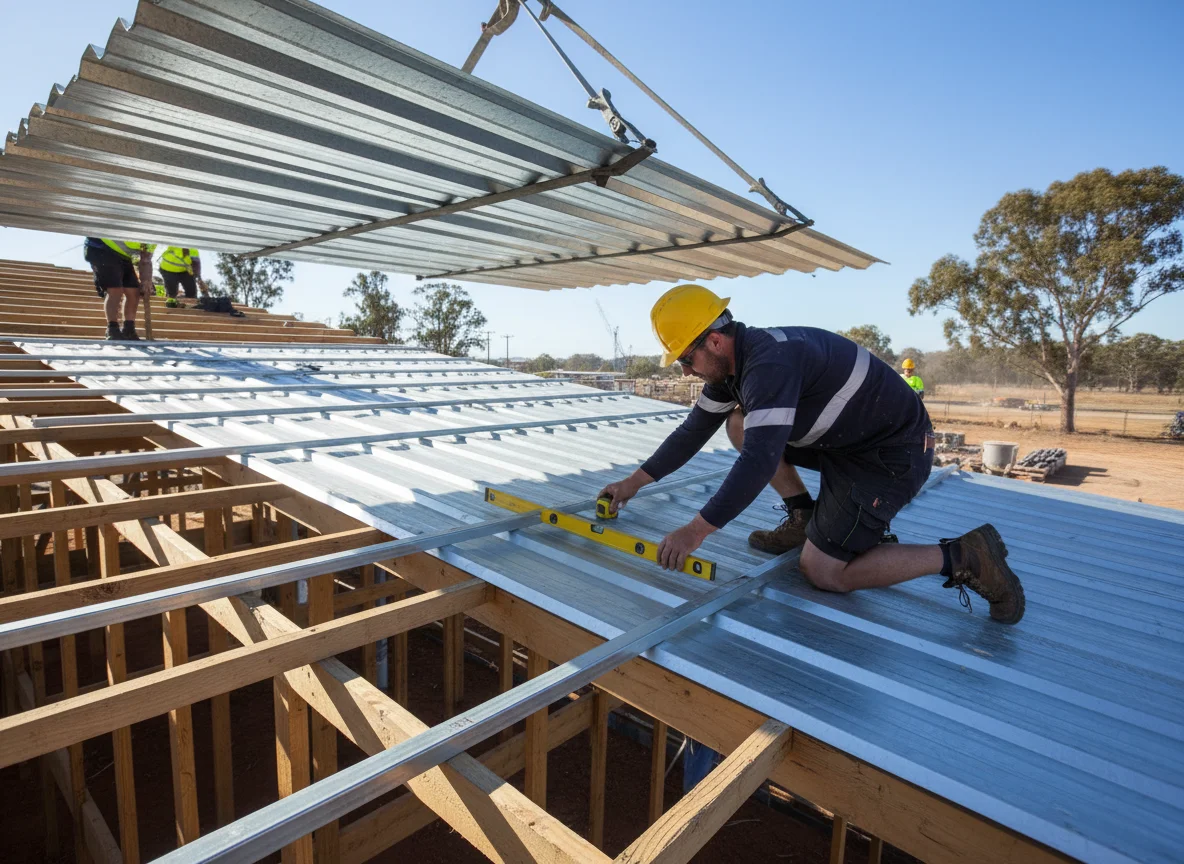
The document order matters before the material order. A request for roof battens or a top hat section should not begin with a shopping list and then search for design support after pricing starts. It should begin with the drawing, specification, structural note or product data that already controls the section.
Think of the brief as a controlled-document workflow. One document identifies the building area and application. Another may nominate the support section. A schedule may list lengths and quantities. A finish schedule may affect the visible package around it. If those documents conflict, the project team resolves the conflict before the supplier is asked to respond.
Controlled Document One: Structural Selection
The first document is the one that selects the section. A batten, top hat or related support section sits within a roof or wall system, so the name alone does not prove what the component must be. The selection may be tied to sheet profile, support condition, spacing, fixing assumptions, load path or manufacturer data. Those matters need an approved project basis before they become order wording.
The brief should identify the current controlling reference and the exact place where the support section is used. That may be a roof zone, wall elevation, ceiling area, cladding run or other documented application. If a parts list uses a shortened trade phrase, check it against the drawing that gives the phrase meaning. The supplier should not be asked to infer the design selection from a nickname.
For these supports, this discipline keeps the item attached to the roof package it belongs to. The request can then say what has been selected, where it sits and which revision controls it, rather than asking for a general product category.
Unanswered Document Questions
Before moving to a product list, write down the unanswered document questions. Which drawing shows the application? Which schedule gives quantities? Which product data or project note records the accepted section? Which revision replaced the older issue? If the answer is scattered across several files, the order should be paused long enough to align them. That pause is not a design service request. It is a check that the customer is sending one coherent controlled set.
A useful document register can be very small. It can list the drawing title, revision, schedule name, product reference and the person who can answer conflicts. The fabricator then sees a stable trail, while the project team keeps responsibility for the selection itself.
Controlled Document Two: Product and Section Reference
The second document names the product or section reference that turns the selection into a supply item. Wesroof supplies steel roofing and building materials including sheets, tophats, battens, stormwater components, purlins and patio components. Its source material describes tophats and battens as accurately pressed steel sections used to provide a straight, level mounting surface for external sheets and sheet alignment in roof or wall systems.
That source is useful for supply context. It is not a substitute for the project selection. The order still needs the nominated section reference, material or finish note, length schedule, quantities and drawing revision. If the section is directional, handed, grouped by elevation or linked to a particular sheet profile, that information belongs beside the product reference.
Capacity tables should stay in their proper role. Light fabrication may apply if several prepared parts become one supplied item. They may be part of the approved design trail, but a single copied row from a table is not a fabrication instruction. For top hat roofing support, the brief should attach the project reference that led to the section choice, not ask the supplier to judge whether a different support arrangement is suitable.
Controlled Document Three: Revision Status
Revision control is where many clean orders fail quietly. Wesroof keeps that register with the fabrication enquiry. A drawing can change after a quote request has been drafted. A sheet profile can change after supports were counted. A finish note can change in a later schedule. If the order does not show the current revision, the parts list may be priced against the wrong document.
Use a simple document register for the support package. Aluminium pressings may sit in the same pack when the project names that material. List the current drawing, specification page, section schedule, finish schedule and any product data referenced by the approved design. Mark superseded sketches as superseded, remove older files from the request and do not rely on an email subject line to identify the live information.
If the architectural drawing names one support type, the structural notes name another and the purchase list uses a shorter phrase, stop the order at the document level. The supplier can price from a resolved brief, but should not be asked to choose the document hierarchy.
Controlled Document Four: Product Schedule
After the controlling documents agree, the product schedule can be built. Stainless steel pressings may sit beside a named stainless run. This is the point where lengths, quantities, material or finish, grouped locations and related components become useful. The schedule should show whether items are identical, whether there are separate roof zones, whether wall cladding supports are mixed with roof supports, and whether any items remain provisional.
The schedule should also link supports to the visible parts they serve. Metal cladding can sit beside a related wall face. Sheet lengths may be tied to support set-out. Flashings and cappings may rely on where sheets finish. Cladding trims may depend on the plane created by the support sections. Reading the order as a chain is often clearer than treating battens, top hats, sheets and flashings as disconnected items.
If drawings have changed, repeat the current revision in every related schedule. Custom metal flashings and construction pressings may sit in the same pack when folded pieces are listed. A revised roof sheet selection can alter the linked support note. A revised cladding elevation can alter support locations. A revised finish schedule can affect related trims or visible support-related pieces. The live document set should be visible without asking the workshop to reconstruct the history.
When Fabrication Notes Enter the Workflow
When Fabricated Items Sit in the Same Enquiry
Some enquiries mix simple support sections with fabricated items. That is where the document workflow needs a fork. A pressed support section may be controlled by a section and length schedule. A welded bracket, small frame or enclosure may need drawings that show cut-outs, returns, welds, finishing and fit-up requirements.
Wesroof’s light fabrication source describes cutting, TIG and MIG welding, finishing, machine guards, splash backs, architectural frames, enclosures and housing units. Those capabilities are different from a support-section order, but the same document-control rule applies: the workshop needs supplied requirements that identify the item, material, quantity and current revision.
If the enquiry includes both support sections and fabricated assemblies, split the request into groups. Keep top hats, battens, roof sheets, flashings and assemblies under separate headings. Attach the controlling document for each group. That prevents a welded assembly note from being treated as a simple length schedule, and it prevents a support schedule from drifting into a design conversation.
Phrases That Break Document Control
Everyday trade wording can hide missing data. Phrases such as standard batten, typical top hat, same as last time, to suit and confirm onsite may sound efficient, but they do not identify the governing document. They leave the recipient guessing which drawing, product reference or condition controls the component.
Convert each phrase into a checkable field. Standard becomes a named section. To suit becomes a reference to an approved drawing or product data. Same as last time becomes a current project identifier and revision. Confirm onsite becomes a question for the builder, installer or design team before supply. The order becomes shorter because assumptions have been replaced by fields.
Keyword language needs the same separation. A search for top hat roofing may help someone find a broad category, but the project still needs the approved section, application and document basis. Search wording is not document control.
Compact Supply Boundary after Precedence Is Settled
The live homepage describes custom steel and sheeting solutions for construction and industry in Western Australia. That is fabrication and supply, not installation. The FAQ covers how we take an enquiry and what we do not install.
Keep the request narrow at that stage. About Us covers the fabrication and supply scope. Ask for supply or fabrication of the nominated sections against the attached documents. Do not ask the supplier to choose spacing, set fixing patterns, judge loads, approve substitutions or settle conflicting design notes. Those decisions remain with the project parties carrying that responsibility.
A late boundary works because the document path has already done its job. The supplier sees the selected item, current reference, quantities and clarification contact. Any unresolved design question is labelled before it enters the order.
Handover Pack for a Stable Order
Before handover, read the packet in document order rather than email order. Does the controlling drawing match the section schedule? Does the length schedule match the latest revision? Does the finish note match the surrounding roof or wall package? Does the clarification contact know which document answers questions? Are provisional items separated from confirmed ones?
For a focused batten or top hat enquiry, send the approved drawings, section references, quantity and length schedules and finish notes. Contact us to check the current scope.

Leave A Comment